Arch-reality-check
The Arch Linux Reality Check: Pragmatism Over Elitism
<iframe class="rumble" width="640" height="360" src="https://rumble.com/embed/v794bh2/" frameborder="0" allowfullscreen></iframe>Introduction: The Distro-Hopping Bell Curve
If you have spent any time scrolling through Linux forums, subreddit threads, or tech Discord servers recently, you have likely run into a relentless wave of ideological back-and-forth drama. For a new user trying to transition from proprietary platforms, a small business owner looking for cost-effective infrastructure, or a professional production engineer who simply needs a dependable workstation, this deafening noise is incredibly confusing.
To find clarity, we must bypass the surface-level fanboyism and look at the operating system landscape through a lens of strict technical pragmatism. Many seasoned systems administrators don't speak from a position of ignorance or outsider bias; many were once Arch Linux zealots themselves. This technical journey almost universally follows a well-documented trajectory in engineering psychology: the Distro-Hopping Bell Curve.
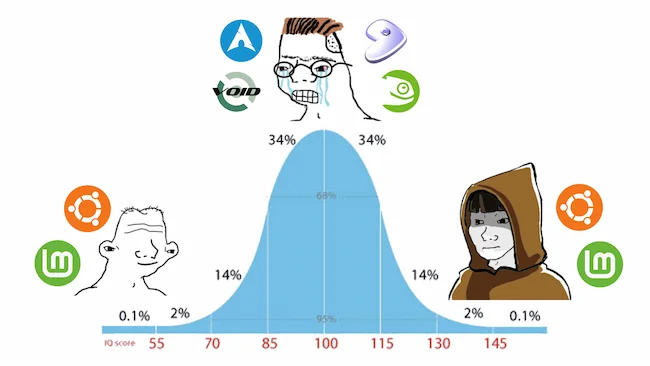
When mapped out, the curve reveals a fascinating look at user experience:
- The Left Tail (The Beginner): On the far left of the spectrum, users begin their Linux journey seeking simplicity, stability, and out-of-the-box functionality. They naturally gravitate toward well-supported, user-friendly distributions like Ubuntu or Linux Mint. The system is viewed purely as a tool to get things done.
- The Apex (The Overconfident Hobbyist): In the middle of the curve, users hit their experimental "distro-hopping" phase. Having mastered basic command-line navigation and configuration files, an inflation of confidence occurs. This is the home of the vocal "I use Arch, BTW" demographic. Here, the operating system stops being a tool to execute work and instead becomes the work itself. Tinkering, manual compilation, and bleeding-edge updates are worn like a badge of honor.
- The Right Tail (The Pragmatic Professional): On the far right of the curve, the timeline comes full circle. After years of managing complex server architectures, handling enterprise security baselines, and dealing with real-world infrastructure failures, experienced professionals return straight back to rock-solid, predictable distributions like Ubuntu LTS or Linux Mint. When your livelihood depends on your workstation being functional at 9:00 AM, you no longer care about showing off an idealized, hyper-customized desktop environment. You just need the computer to work.
The Reality of the "Arch, BTW" Nightmare
The core myth pushed by enthusiasts is that an Arch Linux installation, if built correctly by an intelligent user, is inherently stable. This is a fundamental misunderstanding of rolling-release mechanics versus real-world production demands.
In a true desktop environment, an Arch system rarely survives due to an absence of bugs; it survives because of the user's sheer, stubborn persistence and constant, active troubleshooting. Consider a common enterprise hurdle: managing proprietary hardware drivers. On a standard corporate machine equipped with a discrete NVIDIA graphics card, a routine rolling-release kernel update can easily break the NVIDIA display pipe, instantly stranding the user at a black screen or a broken display manager session.
[ALPM] upgraded linux (6.X.X.arch1-1 -> 6.Y.Y.arch1-1)
[ALPM] warning: nvidia binary drivers may require rebuilding for the new kernel...
--> Critical display pipeline broken. Xorg/Wayland fails to initialize.
When confronted with these systemic breaking points, Arch defenders offer a common refrain: "Well, just don't use the AUR (Arch User Repository)!" But this defense represents a massive technical catch-22. For millions of real-world hardware configurations, proprietary drivers, essential corporate VPN clients, and specific productivity software suites must be pulled from the AUR just to achieve baseline hardware compatibility.
On a rolling release, you are trapped in a perpetual game of dependency roulette. One day an application functions flawlessly; the next morning, a minor background library or upstream dependency updates without warning, triggering a cascading failure across your primary toolchain. You quickly find yourself spending valuable working hours debugging system libraries rather than executing professional, revenue-generating tasks.
The AUR Security Crisis: A Structural Flaw
This instability isn't confined to broken display drivers or misconfigured packages; it has evolved into a full-scale security crisis. The broader Arch community frequently downplays security incidents, claiming they only impact obscure, under-the-radar packages. However, looking closely at the telemetry paints a terrifying picture: we are witnessing a massive influx of malicious code injections, totaling well over 1,000 to 1,500 infected repository packages—including mainstream VR software and developer utilities that standard users actively rely on.
This is not a freak, one-time anomaly. An evaluation of historical repository data reveals a predictable, recurring pattern of supply-chain attacks targeting unmonitored packages.
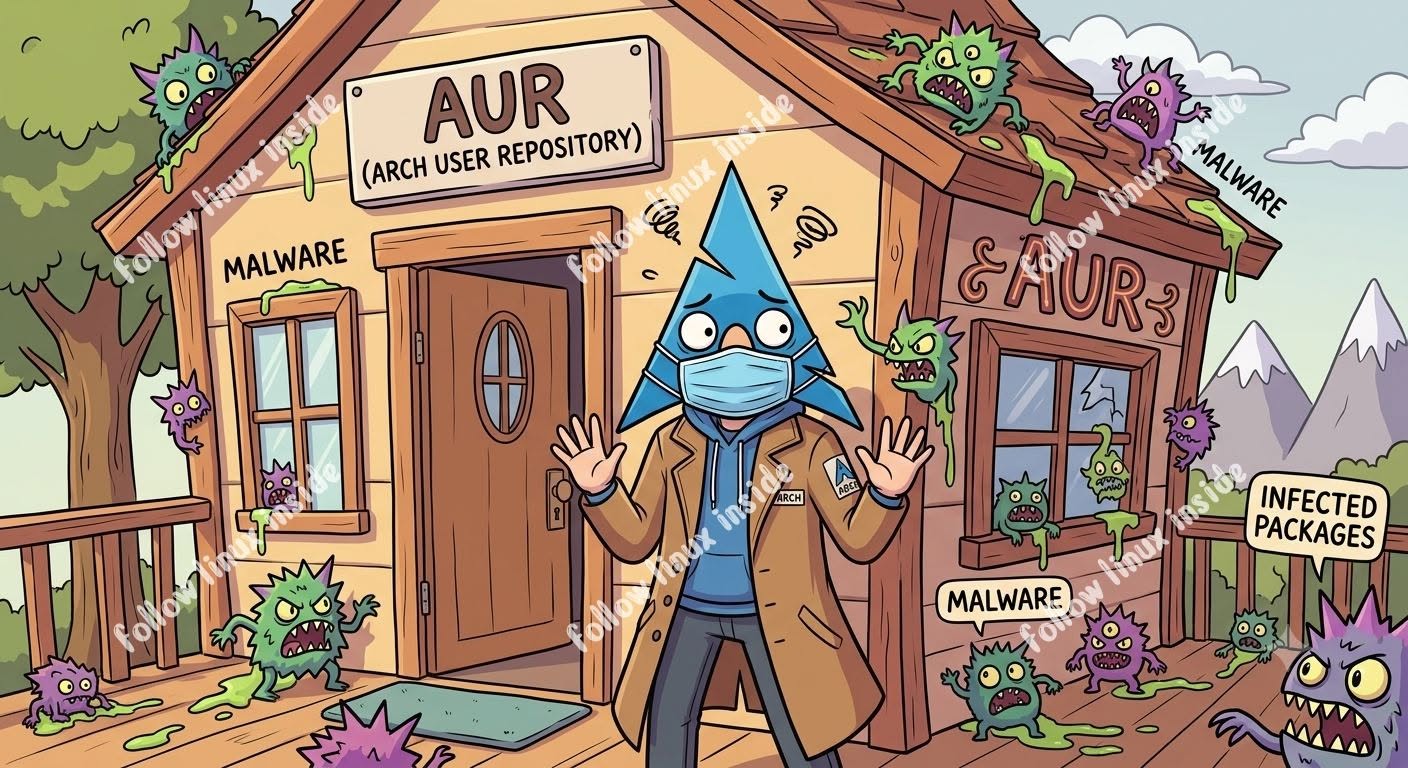
The underlying issue is structural. The AUR is vulnerable by design. Because it relies heavily on community-maintained build scripts (PKGBUILD) without centralized, corporate-backed cryptographic auditing or strict upstream gatekeeping, it acts as an open vector for targeted credential hijacking and malicious takeovers of orphaned packages.
Even more troubling is the community's official response to these vulnerabilities. During active repository compromises, the prevailing advice circulating on forums is often to simply "stop updating your system for a few days until the maintainers clean it up." Suggesting that users halt system security updates on a rolling-release distribution is a spectacular failure of operational security. If a security framework cannot handle automated updates without exposing its supply chain to malware or forcing users to freeze patches, it is broken at a foundational level.
The Weight of Professional Responsibility
This discussion goes far beyond abstract technical debates or trivial forum arguments; it is a matter of profound professional and moral liability.
When a technology professional recommends an operating system or a software stack to a non-technical user, a local small business, or a mission-critical corporate environment, they are providing a professional endorsement. They are stamping their name, reputation, and integrity onto its reliability.
┌────────────────────────────────────────────────────────┐
│             PROFESSIONAL LIABILITY STATEMENT           │
├────────────────────────────────────────────────────────┤
│ If an unvetted AUR supply-chain vulnerability allows   │
│ sensitive client records, proprietary source code, or  │
│ financial data to be exfiltrated—or if an unmitigated  │
│ update bricks a business-critical system—the person    │
│ who recommended that environment bears the moral       │
│ responsibility for that failure.                       │
└────────────────────────────────────────────────────────┘
If an update goes sideways and completely bricks a small business's primary point-of-sale terminal or workstation, that results in immediate financial loss and operational downtime. Worse yet, if an unvetted AUR supply-chain vulnerability allows sensitive client data, internal financial records, or personal identifying information to be stolen, the person who recommended that environment bears the responsibility.
No conscientious engineer should accept that burden on their conscience. In all clear conscience, it is impossible to recommend Arch Linux or its derivatives to anyone looking for an operating system to handle real, critical, real-world work.
The Counter-Argument: Navigating Modern Software Demands
A common counter-argument raised by developers and tech-savvy users is valid: "I cannot use an ancient, frozen distribution like standard Linux Mint because the package base is far too old for my modern hardware and developmental toolchains."
This is a fair point. No professional wants to use a desktop environment running libraries that are two or three years behind, missing critical feature upgrades or hardware optimization patches. However, the belief that you must compromise your entire security posture and system stability just to get up-to-date software is a completely false dichotomy.
Enterprise-backed ecosystems provide three highly secure, reliable alternatives that deliver modern software packages without the underlying instability of a rolling release:
┌──────────────────────────────────────────────────────────────────────────┐
│                      PRODUCTION-GRADE ALTERNATIVES                       │
├──────────────────────────────────────────────────────────────────────────┤
│ 1. KUBUNTU (LTS + BACKPORTS)                                             │
│    - Rock-solid Ubuntu LTS base for core system stability.               │
│    - Official KDE Backports PPA provides the absolute latest desktop PMP.│
│    - Hardware Enablement (HWE) kernel injects bleeding-edge drivers.     │
│                                                                          │
│ 2. FEDORA KDE WORKSTATION                                                │
│    - Corporate backing from Red Hat / IBM.                               │
│    - Delivers a highly modern, secure, and rapid package base natively.  │
│    - Seamless integration of cutting-edge features out of the box.       │
│                                                                          │
│ 3. OPENSUSE TUMBLEWEED                                                   │
│    - True rolling release backed by SUSE Enterprise.                     │
│    - Automated openQA testing ensures snapshots are stable before release.│
│    - Uniform, predictable, and enterprise-hardened framework.            │
└──────────────────────────────────────────────────────────────────────────┘
1. Kubuntu (LTS Base + Backports)
For production environments, running a rock-solid, stable Ubuntu LTS base provides the ultimate foundation. If you need the latest desktop features, you can simply enable the official KDE Backports repository. This injects the absolute newest KDE Plasma desktop environment on top of a hardened base. Furthermore, Canonical’s HWE (Hardware Enablement) kernel program safely delivers fresh kernels and cutting-edge graphics drivers without touching core system files. For those who want a middle ground, Ubuntu’s standard 6-month interim releases offer a predictable stepping stone.
2. Fedora KDE
Backed by the enterprise resources of Red Hat and IBM, Fedora is an incredible, highly secure option for workstation deployment. It natively delivers a highly modern package base right out of the box, integrating fresh kernels, libraries, and applications cleanly without requiring unstable third-party repositories. It offers an exceptional option for a main production operating system.
3. openSUSE Tumbleweed
If your workflow strictly requires a rolling-release model, openSUSE Tumbleweed is the gold standard. Backed by SUSE Enterprise, Tumbleweed utilizes an automated testing suite called openQA. Every single package combination is rigorously tested against real-world hardware profiles before it is pushed to users, creating a rolling release that is uniform, predictable, and exceptionally stable.
The Desktop Integration Gap
Beyond security and stability, Arch Linux suffers from a massive user experience and integration gap. On standard, polished distributions like Ubuntu, Fedora, or Mint, the native package managers (apt, dnf) are tightly integrated with standard graphical desktop software stores like GNOME Software or KDE’s Discover. A non-technical user or an employee can safely browse, install, and update verified flatpaks, snaps, or system packages with a single click.
Arch breaks away from this uniformity completely. It regularly forces users into fractured third-party tools like Pamac or command-line wrappers that routinely break, fail to synchronize with system databases, or clash with graphical software centers. This introduces an unnecessary layer of friction and user error that is entirely unsuitable for an average user or a professional production environment.
Conclusion: Stop Recommending Arch Blindly
It is time to deliver a blunt reality check to the Linux community: Stop recommending Arch Linux to everyone, and stop shaming people for choosing stable, reliable operating systems.
┌──────────────────────────────────────────────────────────────────────────┐
│                           THE LAUNCHPAD CRITERIA                         │
├──────────────────────────────────────────────────────────────────────────┤
│  NOT FOR:                                                                │
│  ✖ Average Desktop Users (Too much manual friction and maintenance)      │
│  ✖ Production Workstations (High risk of downtime and breakages)         │
│  ✖ Enterprise Environments (Lack of compliance and supply-chain safety)  │
│                                                                          │
│  ONLY FOR:                                                               │
│  ✔ Highly Controlled Sandboxes & Experimental Dev Environments           │
└──────────────────────────────────────────────────────────────────────────┘
Arch Linux is not for everybody, and in fact, it is completely wrong for most people. It is entirely unsuited for average desktop users who want their computer to behave like an appliance, and it is a liability for professionals who require strict security baselines and uninterrupted uptime.
The only logical use case for Arch Linux in the modern era is within highly controlled, isolated development sandboxes or experimental environments. In these scenarios, advanced developers can use its bare-bones nature to test specific code variations, build isolated packages, or learn the granular mechanics of Linux compilation. But the very fact that it requires an isolated, experimental sandbox to be used safely completely proves the broader point.
If you enjoy treating your operating system like a box of Lego bricks, troubleshooting breaking changes after dinner, and auditing your own package dependencies daily—that is your prerogative. Enjoy your hobby. But do not project that hobby onto users who have actual businesses to run, projects to complete, and deadlines to meet.

When system predictability, security compliance, server uptime, and actual professional productivity are what matter most, a stable, enterprise-supported ecosystem will win every single day of the week. For those who value their time and data integrity, there is no shame in choosing stability. In fact, it's the only professional choice.